


Your phone is already a GPS transmitter.
Put it in the car and press Start. Filodos shows where you drive, how you brake and where it happened.
Feel the braking.
Drag the handle. A slowdown of 0.30 g or more for a quarter of a second is a hard braking. From 0.45 g it is severe. Gentle stops never count.
Hard braking. The app marks it on the map and sends it to your driver score.
Drag the handle to try it. The limits are the ones the app uses.
One screen with everything you need.
No menus while you drive. Open the page, press Start and look.
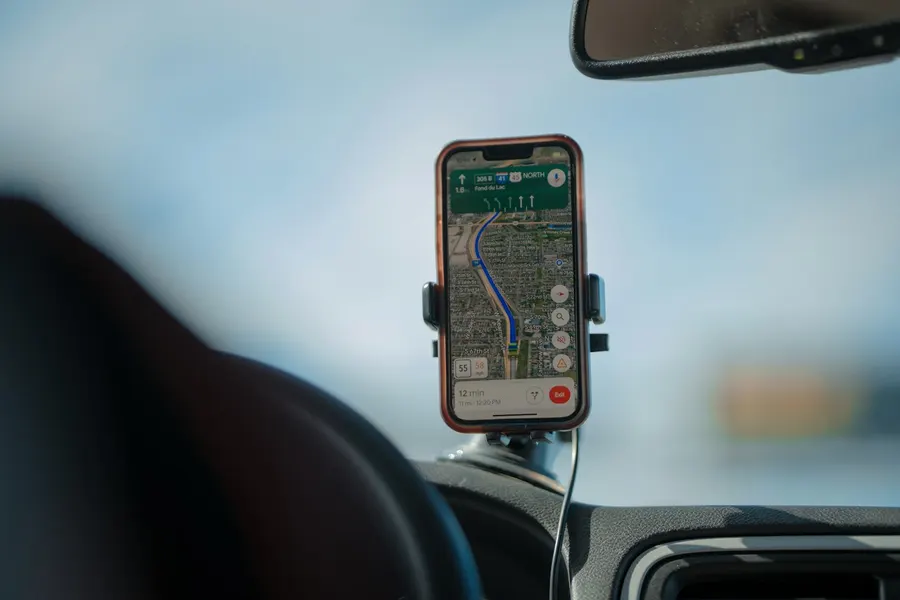
Speed, heading and street at a glance.
A field compass turns as you turn. The speed sits in the middle. Below it you see the street name and your position in degrees, minutes and seconds. It all fits on one screen, with no scrolling.

It feels every turn and every bump.
The phone reads its acceleration and rotation sensors. It also reads the barometer. So you get a second altitude that follows the real climbs and descents, better than GPS alone.
It knows when you brake hard.
The phone learns which way is forward from your GPS speed. So it works in a mount, in a cup holder or on the seat. A hard slowdown above 15 km/h on a straight road is marked on the map and counted.

Your whole route, one scroll down.
Scroll down on the same screen to see the map of the trip you are driving now. Red dots show where you braked hard.
From the phone to your driver score
Press Start.
Open Filodos. Choose More, then Phone transmitting, then Start transmitting. The iPhone shows a blue location indicator. A red bar shows in the app while it runs.
Drive as you always do.
The phone sends your position every ten seconds. If you lose the signal, it keeps the data and sends it later.
See the result.
The route and each hard braking show in the app and on the dashboard. Hard braking counts in your driver score.
Works in app version 2.1.70 and later, on iPhone and Android.
You stay in control.
The app asks for your location only while it is open. On the iPhone it uses “While Using the App” and the blue indicator of the system. On Android it never asks for background location.
The motion and barometer values stay on your phone. Filodos gets only your position and your hard braking events. You stop with one tap. Data is kept on servers in the European Union.

Questions.
Which phones work?
Any iPhone or Android phone with the Filodos app, version 2.1.70 or later.
Does the phone need a mount?
A mount is best, but you do not need one. The phone learns the forward direction from your GPS speed. It needs about a minute of driving with some speed changes. Until then the Harsh braking tile shows a dash.
How does Filodos decide that braking is hard?
A slowdown of 0.30 g or more for at least a quarter of a second, above 15 km/h, while the car goes straight. From 0.45 g it is severe. Gentle stops do not count. We still tune these limits with real drives.
Is hard braking part of my driver score?
Yes. It counts like the hard braking alarm of the camera unit. The weights of the score are still being tuned.
Does it use a lot of battery?
It uses the GPS like a navigation app does. Keep the phone charged on long drives.
What if I have no signal?
The phone keeps up to 2,000 positions and your hard braking events. It sends them when the network comes back.
Who sees my trips?
You see your own trips. If a family or a company account uses Filodos, the account owner sets who else sees them. See the privacy policy.
How much does it cost?
See the plans. The Tracking plan starts at €5 per vehicle per month.
Try it on your next drive.
Get the Filodos app. Open More and choose Phone transmitting.